I Gave AI Control of My House
I connected Home Assistant to LiteLLM and OpenRouter, then asked my house for a mood instead of a light setting. Here's what happened.
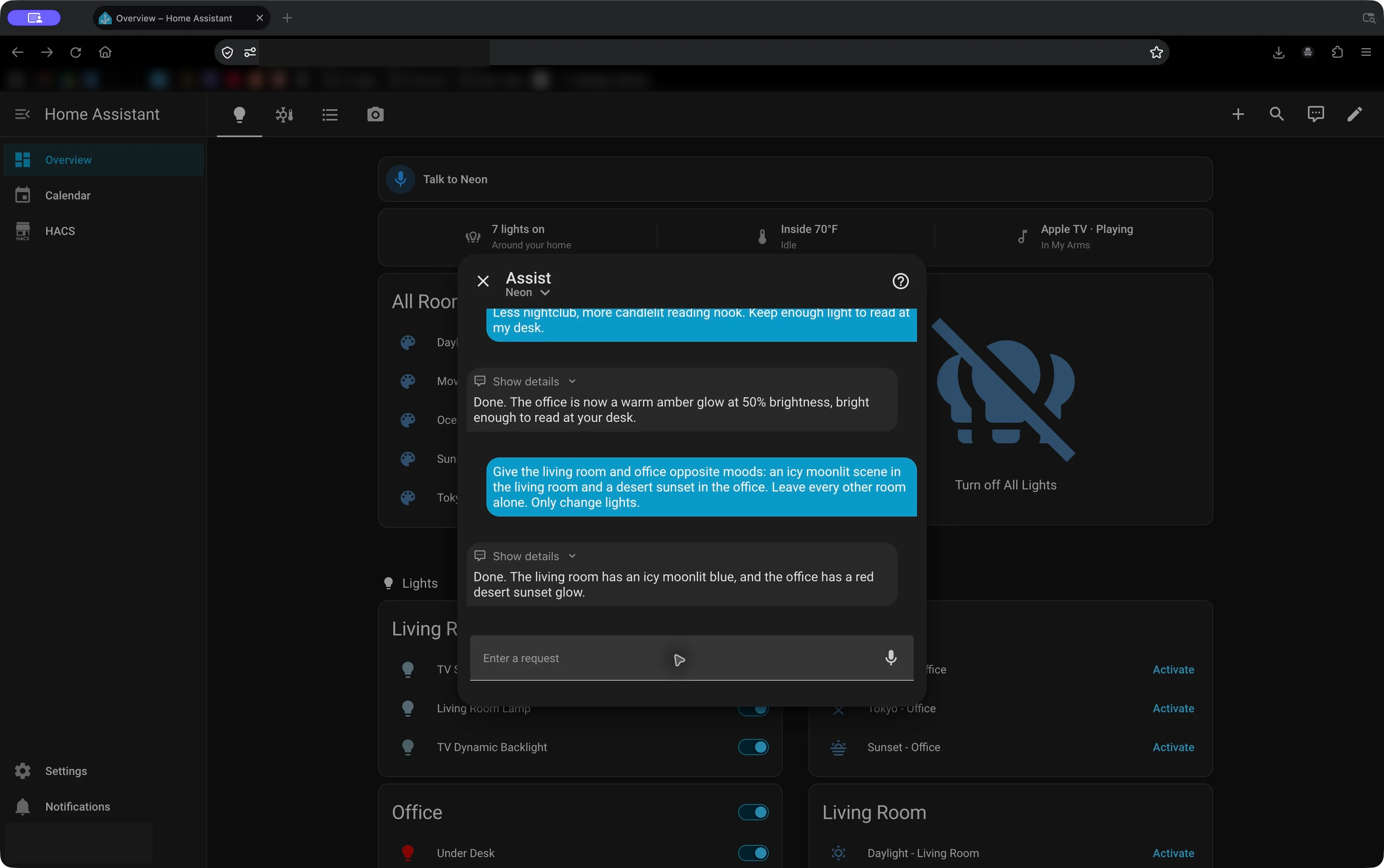
Give the living room and office opposite moods: an icy moonlit scene in the living room and a desert sunset in the office. Leave every other room alone. Only change lights.
That is an actual request sent to my Home Assistant setup. There wasn't a matching scene waiting behind a button. The assistant had to interpret the two moods, choose colors and brightness levels, and figure out which lights belonged to each room.
It set the living room to light blue at 30% and the office to red at 55%. Home Assistant's tool results reported successful actions in both rooms.
I gave AI control of my house, and apparently its idea of a desert sunset is a fairly red office.
Beyond Remembering the Right Command
My dashboard already has scenes for Warm Light, Movie Night, Blue Light, Red Light, and more. Those are useful. If I know exactly which look I want, a button is a perfectly good interface.
But sometimes I have an idea rather than a setting.
“Make this feel like a late-night jazz club” is a different kind of input from “set these two lights to purple at 25%.” The first describes an atmosphere. The second describes the implementation.
I wanted to see how much of that translation I could hand off.
The result is Neon, my Home Assistant conversation agent. It can receive a request, use the available Home Assistant tools, inspect their results, and respond. The interesting part is that the response can come with a change to the house.
For these examples, I used the text input in Assist through Firefox so the exact requests and responses would be visible. The setup also has a voice pipeline, but these screenshots demonstrate the conversation and device-control path, not a microphone test.
Asking for a Submarine
The first experiment was a little more specific:
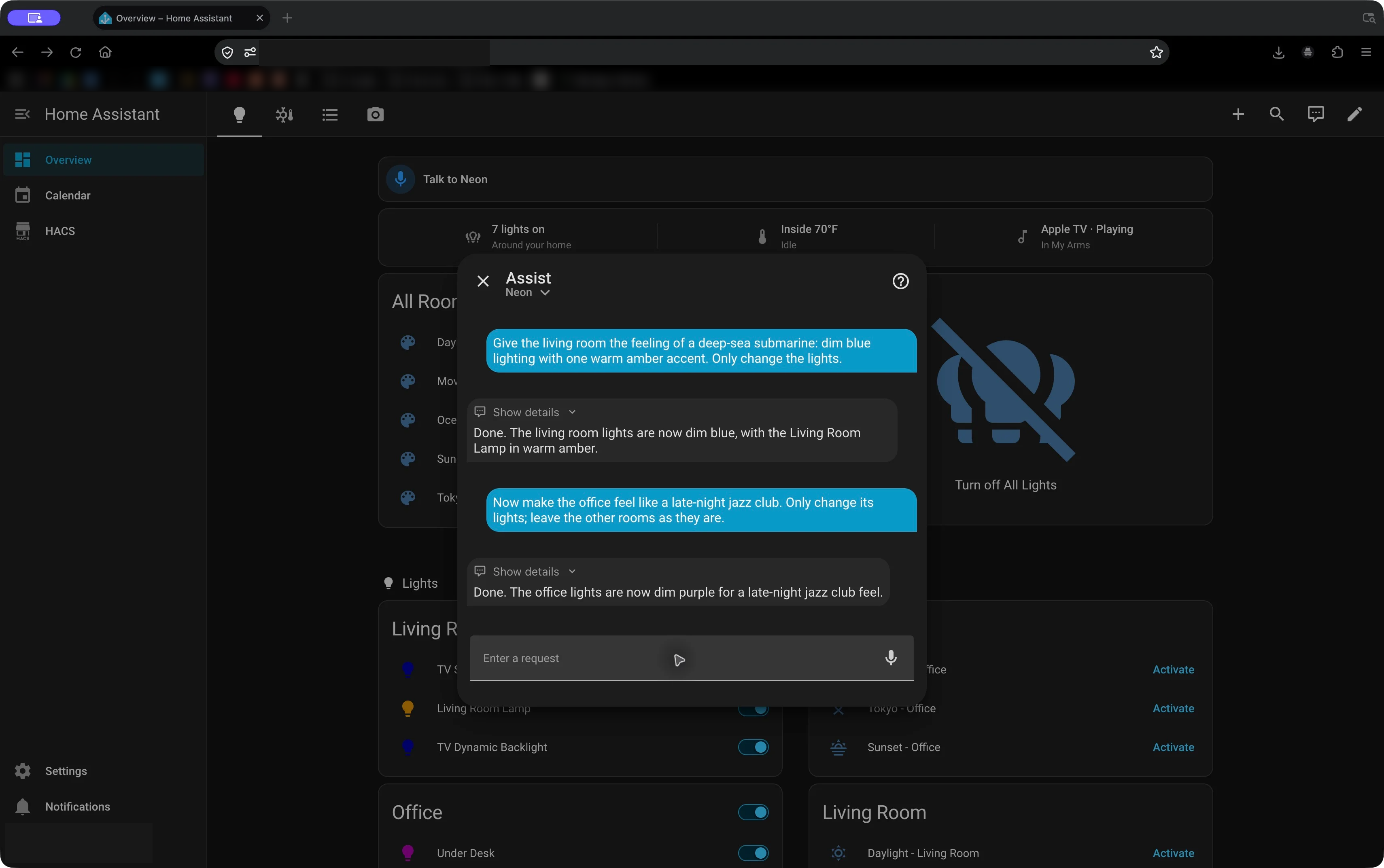
Give the living room the feeling of a deep-sea submarine: dim blue lighting with one warm amber accent. Only change the lights.
Neon turned the living room lights blue at 20%, then selected the Living Room Lamp as the accent and tried to set it to amber at 60%.
That second call failed.
Home Assistant returned InvalidSlotInfo for the color amber. Neon then retried the lamp with orange, which succeeded. It didn't need another message telling it what to try next.
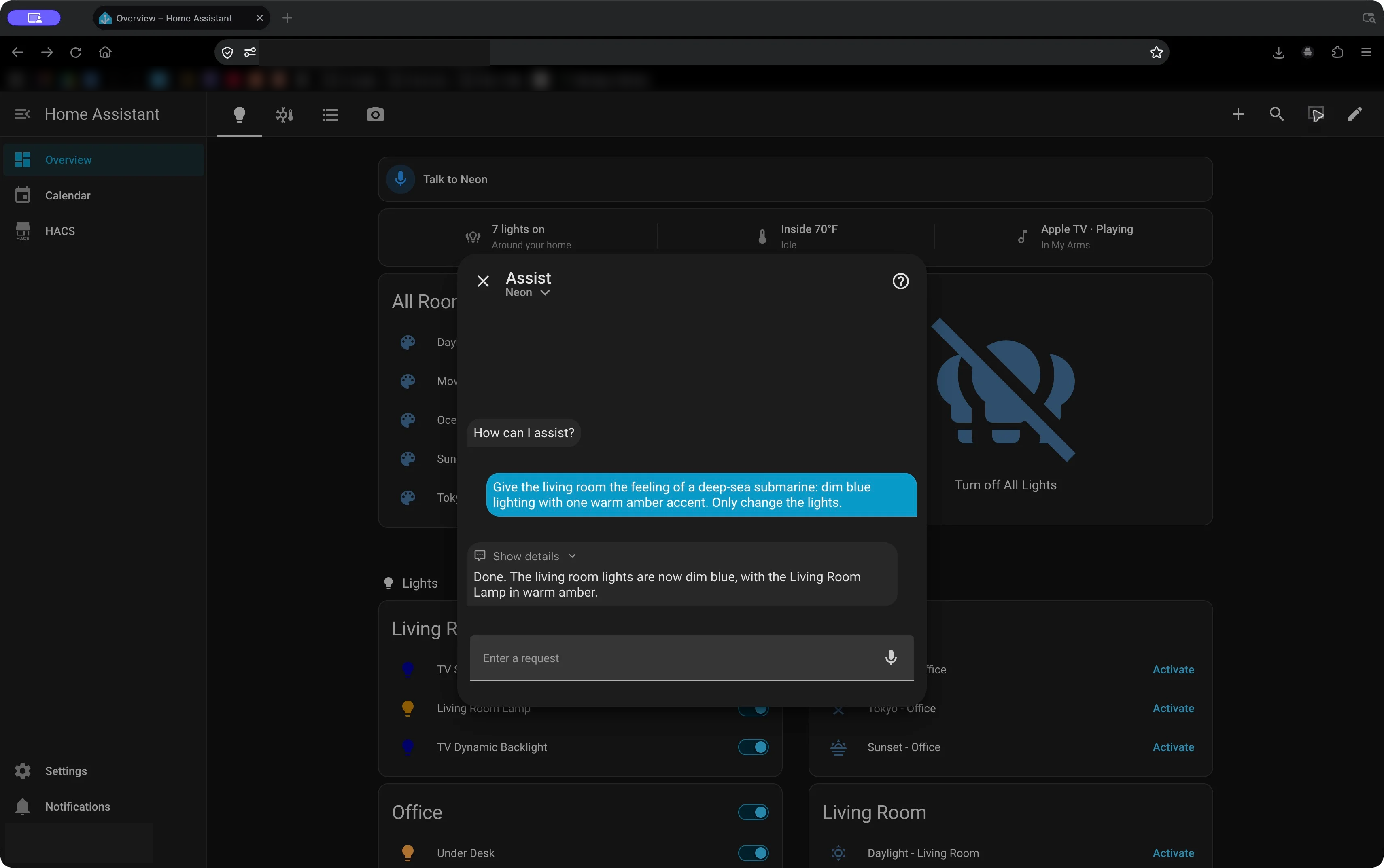
That recovery was more interesting to me than the initial color choice. The system interpreted a request, attempted an action, received an error, and adjusted the action.
The same thing happened in the two-room example at the start. Its first choices, ice blue and red orange, were rejected. It tried again with light blue and red, and both calls succeeded.
The model has a bigger color vocabulary than the tool accepts. Watching it work through that mismatch makes the whole thing feel much less like a canned demo.
“Less Nightclub, More Reading Nook”
Next came a request without any specified colors or brightness:
Now make the office feel like a late-night jazz club. Only change its lights; leave the other rooms as they are.
Neon chose purple at 25% for the office's two lights: the lamp and the lighting under the desk.
Then came the follow-up:
Less nightclub, more candlelit reading nook. Keep enough light to read at my desk.
I didn't repeat “office,” list the lights, or specify a percentage. Neon kept the context and changed the office to orange at 50%.
This is the interaction I find most compelling. I can describe what feels wrong about the first attempt and ask for an adjustment using the same language I'd use with another person.
There is a limit to what that proves. Neon said the result was bright enough to read, but it had chosen a brightness setting; it hadn't measured the light falling on a book. The tool results confirm the commands succeeded. Whether the room actually feels like a reading nook is still my judgment.
How It Fits Together
The setup builds on the home lab I already run. Home Assistant runs in Docker on a Raspberry Pi, and LiteLLM runs in Docker on my home server.
For an AI conversation, the path is:
Request in Home Assistant
  → LiteLLM, using my ai-home model alias
  → OpenRouter
  → Language model
  → Tool calls returned to Home Assistant
  → Home Assistant controls the devices
  → Tool results go back into the conversation
Home Assistant knows about the rooms, devices, and available actions. Its LiteLLM integration connects the conversation agent to my gateway.
LiteLLM gives me one place to manage model access, aliases, and spending. Home Assistant asks for ai-home; I can change the backend behind that alias without reconfiguring the assistant around a different model name.
OpenRouter provides access to the hosted model. The model interprets the request and returns tool calls; Home Assistant performs the device actions. My gateway and automation software run at home, but the language-model inference in this setup is cloud-hosted.
For voice, I have local Faster Whisper speech recognition and a separate ai-voice route for speech generation through OpenRouter. The selected voice is George. Giving the assistant a name and a voice makes the stack feel like something I can use around the house rather than another API endpoint.
Keeping the Parts That Already Work
I still have the dashboard. I still have scenes. I also have Home Assistant configured to prefer handling supported commands locally before involving the conversation model. Home Assistant documents that option in its AI assistant setup guide.
There is no particular benefit to having a model deliberate over every straightforward light switch request.
In Script or an Agent?, I wrote about using a model where the input requires interpretation. This project gives that idea a very tangible test: the phrase “candlelit reading nook” needs interpretation, while setting a bulb's brightness is an ordinary device operation.
The operating costs live in LiteLLM too. My Home Assistant chat and speech keys share a $20 monthly team budget, separate from my coding usage. In 2 weeks of usage it has barely broken $1.
A House I Can Describe Things To
The demos aren't flawless. Color names sometimes need a retry. A request can produce a successful tool call and still give me a look I don't particularly like. Multiple calls also mean waiting for more than one model response.
But I don't have to predict every mood in advance, build a scene for it, and remember what I named it.
I can ask for something, see the interpretation, and say, “Less nightclub, more reading nook.”
That is what makes this project fun. The lights were already connected. Now I can describe what I want to do with them.